Reply in Music
arrow_back
Back to aLinDev's profile
-
#1101
-
#1102Reply in Music
-
#1103Reply in Music
-
#1104Reply in Music
-
#1105Reply in Music
-
#1106Reply in Music
-
#1107Reply in Music
-
#1108Reply in Music
-
#1109Reply in Music
-
#1110Reply in IT news
Reports that Windows 10 S will become a "mode" of Windows 10 were confirmed Tuesday night by Microsoft’s Joe Belfiore, who stated that the transition will occur next year.
Belfiore, a corporate vice president in the Operating System Group within Windows, tweeted his statement in response to a PCWorld reporter’s own comment that Microsoft had neglected to mention Windows 10 S in a recent blog post touting the success of Windows devices in schools. Microsoft launched Windows 10 S last year as a standalone version of Windows, partly to provide a secure, manageable version of Windows to those schools.
Currently, Microsoft sells Windows 10 S and Windows 10 as separate versions. Windows 10 S works only with the UWP apps Microsoft itself provides from the app store. Windows 10 S users may also switch to Windows 10 Pro via an upgrade found within the Microsoft Store.
However, Windows 10 S hasn’t appeared in anything more than the Surface Laptop and a handful of education devices. Reports surfaced recently that Microsoft would combine Windows 10 S and Windows 10, making the formera “mode” of the Windows 10 OS.
Microsoft had declined to confirm the substance of those reports until now, and hadn’t said when the transition would take place, if ever. Belfiore's Tuesday Tweet has revealed that the reports are true, and when the transition will take place.
“We use Win10S as an option for schools or businesses that want the ‘low-hassle’/ guaranteed performance version,” Belfiore tweeted. “Next year 10S will be a “mode” of existing versions, not a distinct version. SO … I think it’s totally fine/good that it’s not mentioned,” he said of the report’s omission of Windows 10.
Whether Microsoft will offer Windows 10 S by default is not clear. One reportby Thurrott.com has said that users will be able to upgrade from an 'S' version of Windows 10 Home S to full-fledged Windows 10 Home for free, but Pro users going from the 'S' version to the full version will be charged $49.
What this means for you: While it’s not clear why the Windows 10 S transition will take place in 2019—development time, or just a chance for the Windows 10 S to succeed on its own?—we do know now that Windows 10 S will be the “low-hassle” version of Windows. Windows 10 Home/Pro, with its legacy Win32 support, will be the more powerful version. Guess we’ll know in a year how this will change the status of Windows 10 S in the marketplace.
-
#1111Reply in IT news

Amid the growing use of mobile devices for work by federal employees, U.S. defense and intelligence agencies are fast adopting biometrics and other alternative ways of computers, smartphones and tablets, according to a new report.
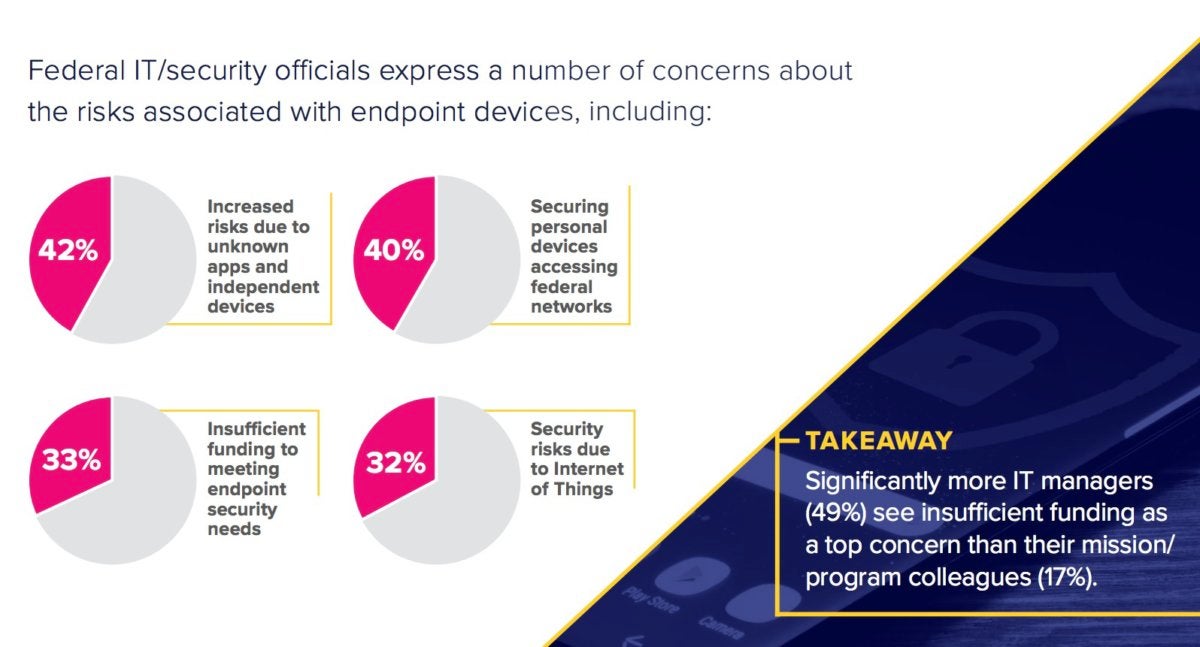
More than 90% of federal agency IT officials in an online survey said their organizations provide secure mobile access for work-issued devices, but less than 20% support workers' personal devices to access most agency systems. Forty percent of those same officials voiced concern about securing personal devices, according to the online survey of federal government IT and cybersecurity officials.
The survey found that among federal workers: 33% rely on personal laptops, 49% rely on personal smartphones and 74% rely on personal tablets for work – even though federal agency IT managers don't support most of those devices.
Our new gaming site is live! Gamestar covers games, gaming gadgets and gear. Subscribe to our newsletter and we’ll email our best stuff right to your inbox. Learn more here.
 Cyberscoop/Fedscoop
Additionally, only 25% of federal officials surveyed said they have fully implemented ways to secure endpoints (such as using endpoint detection and response, network access control, end-to-end encryption and application control).
Even so, the U.S. government is outpacing the private sector in deploying the latest endpoint mobile security technology, a study of the survey revealed.The survey of 167 respondents was funded by Samsung and conducted by online publications CyberScoop and FedScoop. Responses showed more than half of federal agency IT officials worry about cyberattacks using mobile devices as a means of accessing agency networks.
While 6 in 10 IT officials said that securing government-issued or personal mobile devices is a top concern over the next 12 to 18 months, many may be overlooking technology they already have to address security concerns, such as modern consumer mobile devices that support biometrics, containerization and derived credentialing.
Derived credentials refers to personal identity verification (PIV) card or common access card (CAC) technology embedded on a mobile device instead of a physical card.
-
#1112Reply in IT news
Answering the question can be a bit trickier than it seems. Raw performance is a big part of it, but factors like noise, the driver experience, and supplemental software all play a role in determining which graphics card to buy, too.
Let us make it easy for you. We’ve tested damned near every major GPU that has hit the streets over the past couple of years, from $100 budget cards to $1,200 luxury models. Our knowledge has been distilled down into this article—a buying guide with recommendations on which graphics card to buy, no matter what sort of experience you’re looking for.
Note: There are customized versions of every graphics card from a slew of vendors. For example, you can buy different Radeon RX 570 models from Sapphire, XFX, Asus, MSI, and PowerColor.
We’ve linked to our formal review for each recommendation, but the buying links lead to models that stick closely to each graphics card’s MSRP. Spending extra can get you hefty out-of-the-box overclocks, beefier cooling systems, and more. Check out our “What to look for in a custom card” section below for tips on how to choose a customized card that’s right for you.
TABLE OF CONTENTS
SHOW MORE
Cryptocurrency and sky-high graphics card prices
Graphics card prices are downright ludicrous right now.
Even though most of today’s GPUs are going on two years old, all of them are suffering from price inflation and stock shortages, with most models selling for nearly double their suggested retail price. That’s because Bitcoin-like cryptocurrencies that pay users for their graphics processing power are booming right now. Pair that with rising memory costs and seasonal supply volatility, and there’s a major crunch in graphics card availability. It’s a major bummer if you’re just looking to game.
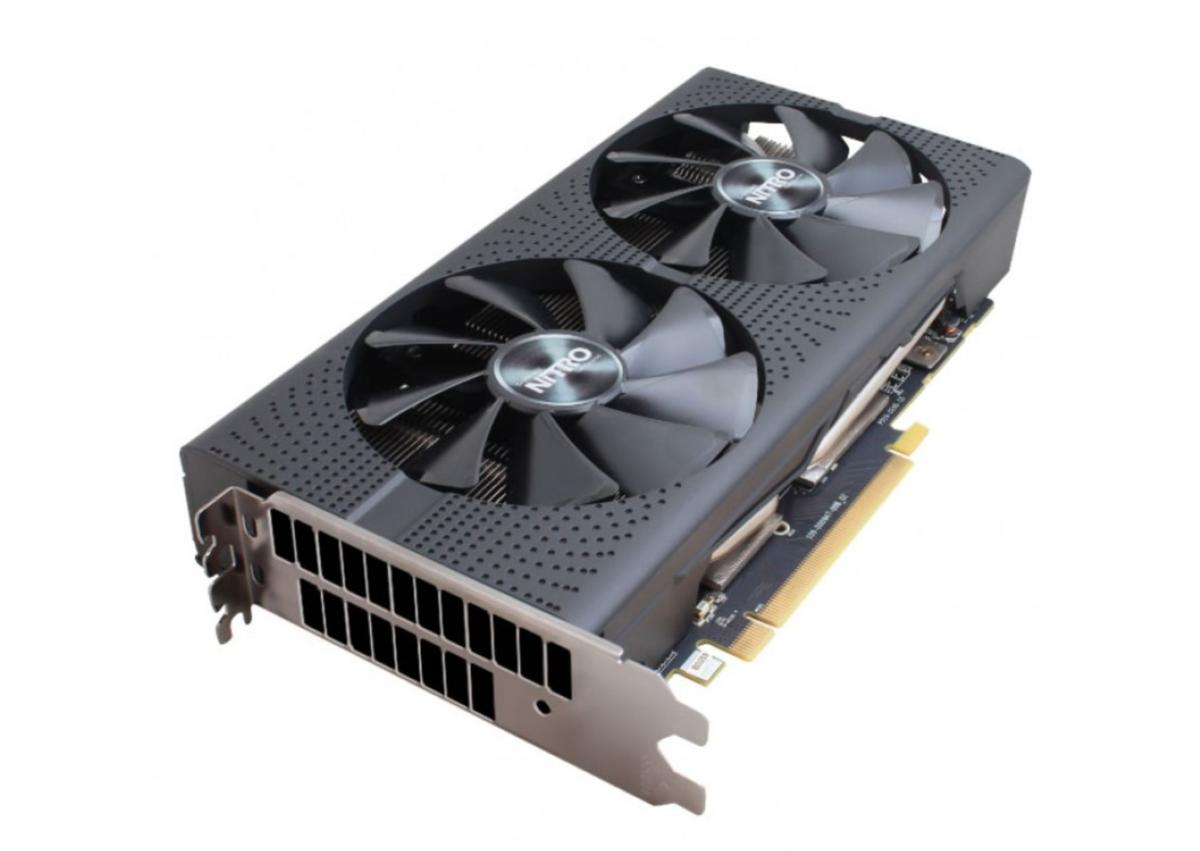
Sapphire
Mining-specialized graphics cards like this Sapphire Nitro model often lack display outputs.Hardware makers rolled out mining-specialized graphics cards to combat the spiking demand, but that hasn’t stopped miners from gobbling up every consumer card they can lay hands on, too.
We advise against buying a graphics card while prices are so extreme. The exception is budget-class graphics cards: They’re still selling for more than they should, but won’t bankrupt you. More creative solutions are available as well, which we cover in depth in PCWorld’s guide on how to keep gaming in the coin mining era.
Best budget graphics cardMENTIONED IN THIS ARTICLE
MSRP $110.00
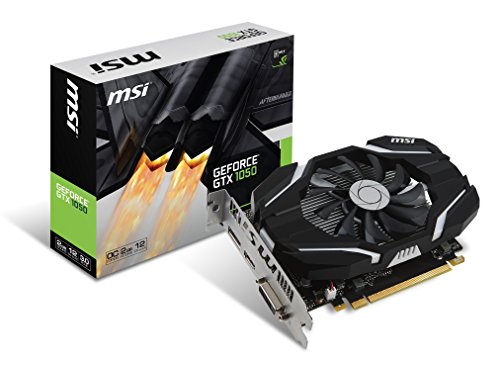
MSI's overclocked GeForce GTX 1050 graphics card outpunches its AMD rival for significantly lower cost, and can seamlessly slip into prebuilt "big box" computers.
If you want to dip your toes into the PC gaming waters without getting dunked by today’s astronomical graphics card prices, the Nvidia GeForce GTX 1050 ($135 and up on Amazon) is the clear choice for entry-level gaming.
Nvidia’s pitching the GeForce GTX 1050 as a superb upgrade option for e-sports enthusiasts and PC gamers on a budget. The card delivers on that mission in spades. You can crank in-game graphics to High and blow past 100 frames per second in Dota 2, Overwatch, Counter-Strike: Global Offensive, and more. (That’s a huge step up from integrated graphics.) The GTX 1050 hovers around the 60-frames-per-second gold standard in most games at Medium graphics settings at 1080p, or can pump out Ultra-quality visuals if you don’t mind a more console-esque 30 fps.
Brad Chacos
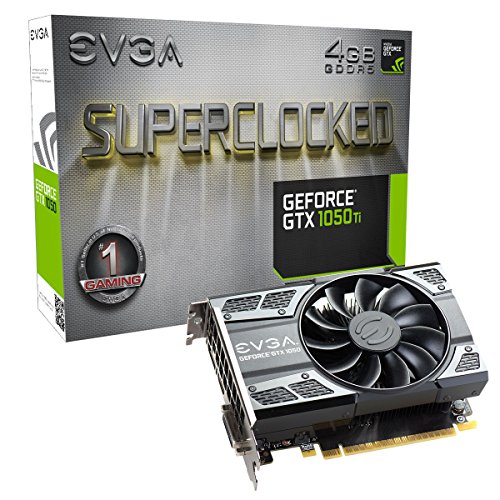
The EVGA GTX 1050 Ti SC Gaming and MSI GTX 1050 2G OC.The GeForce GTX 1050’s small size and sub-75-watt power requirement means it’ll fit in tight places, and without additional power connections. That makes it an ideal option for upgrading prebuilt “big box” systems from the likes of HP and Dell—most of which lack extra power connectors and extra space—into gaming machines with minimum hassle. When you combine those advantages with the card’s HDMI 2.0b and high-dynamic-range video support, the GTX 1050 also becomes an enticing prospect for home-theater PCs. Be careful while you shop, though, as some overclocked models of the GTX 1050 require an extra six-pin power connector, which prebuilt PCs may not have available.
MENTIONED IN THIS ARTICLE
$270.57MSRP $150.00
The EVGA GTX 1050 Ti SC Gaming can effortlessly upgrade a prebuilt PC into a gaming rig capable of outplaying modern consoles. It's cool, power-efficient, and notably more powerful than its rivals.
If a bit more graphical oomph is what you seek, Nvidia also offers the step-up GeForce GTX 1050 Ti, but this ostensibly $140 graphics card is selling for $300 or more in today’s market, ruining its value proposition. The GTX 1050 Ti doubles the onboard RAM to 4GB and offers more under-the-hood firepower than the GTX 1050, while often running off motherboard power alone in some versions. The GTX 1050 Ti allows you to hit nearly 60 fps at High graphics settings in most modern games, and its 4GB of memory is much more future-proof than the GTX 1050’s 2GB.
Brad Chacos/IDG
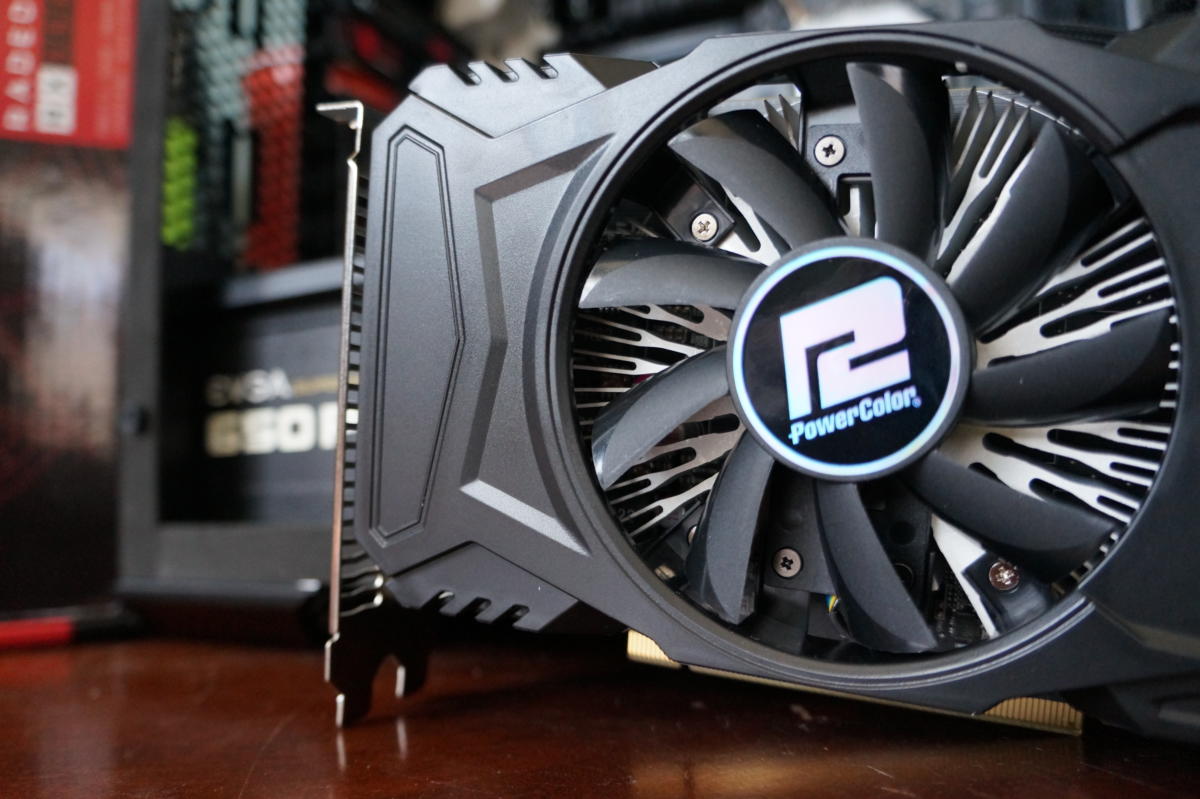
The Radeon RX 550.AMD’s rival to the Nvidia duo is the Radeon RX 560, at $140 and up on Newegg when you can find stock available. The Radeon graphics cards are slower, hotter, and more power-hungry than the GeForce GTX 1050s, however. AMD also muddied the waters by quietly releasing slower, less powerful Radeon RX 560s under the same name months after the card launched. The GeForce cards are the obvious pick unless you need to pair a Radeon RX 560 with a FreeSync monitor.
People interested only in e-sports or bolstering a home theater PC’s media chops might want to check out the Radeon RX 550 ($100 and up on Newegg). It’s stellar for those use cases, but it struggles in traditional AAA games. Most people would probably be better off with a GTX 1050.
Best 1080p graphics card
MENTIONED IN THIS ARTICLE
MSRP $179.99
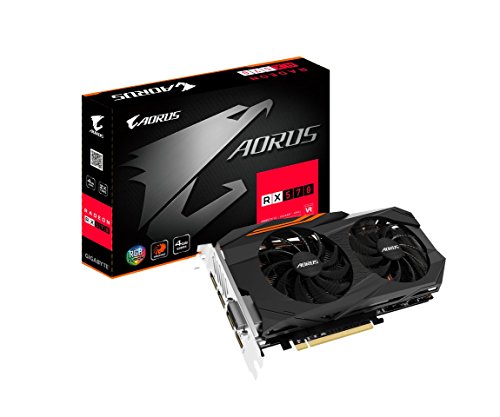
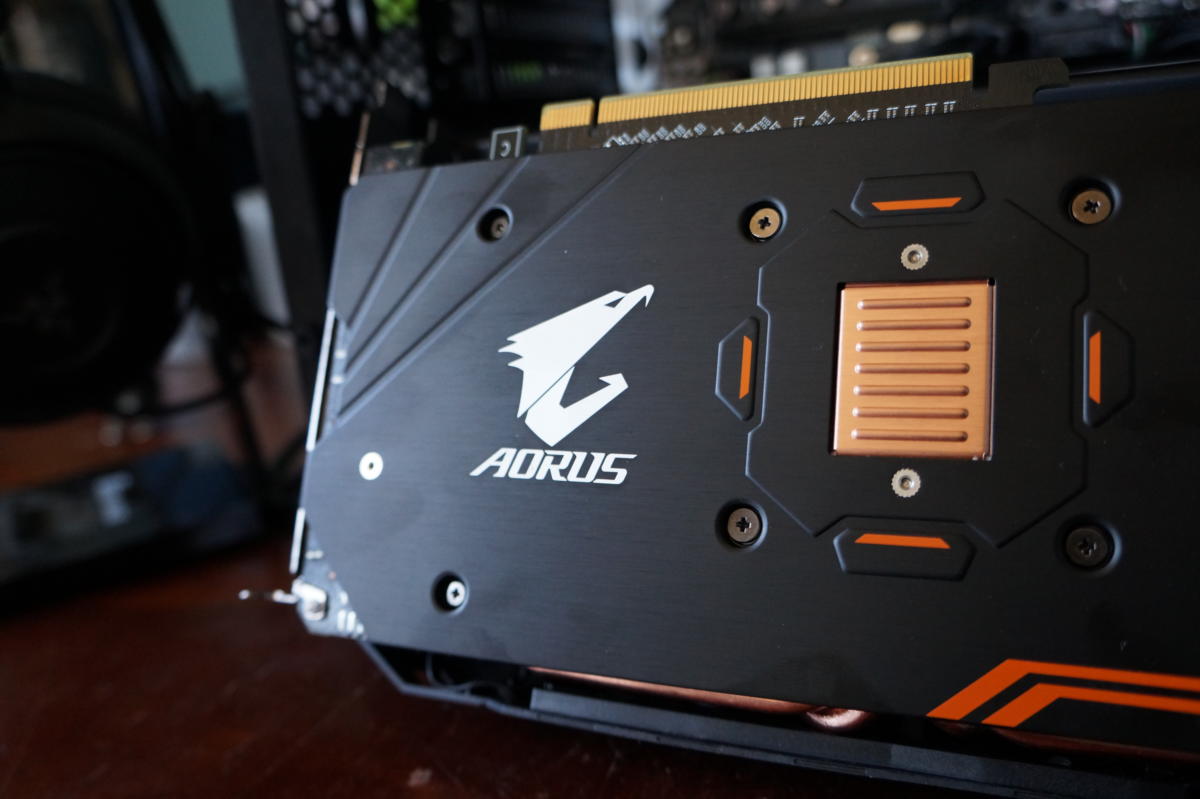
The Gigabyte Aorus is a gorgeous, well-performing graphics card. The Radeon RX 570 is the best sub-$200 gaming option around—but it isn't much of a step up over the RX 470.
Editor’s note: We don’t recommend any of these cards at the moment, as they’re all selling for nearly twice suggested pricing in today’s wildly astronomical graphics card market. Consider a holdover budget graphics card instead, or read PCWorld’s guide on how to keep gaming in the coin mining era.
Things bunch up a bit more in the $200 to $300 range, though pricing inflation has ravaged the so-called PC gaming sweet spot. Here, you’ll find a slew of contenders for the title of “Best 1080p graphics card”: the Radeon RX 570, the 4GB Radeon RX 580, the 8GB Radeon RX 580, and both the 3GB GeForce GTX 1060 and the standard 6GB GeForce GTX 1060, which feature different innards despite sporting the same name.
You can’t go wrong with any of these cards. They’re all excellent gaming options. Using the Radeon RX 580 (4GB) as a baseline, the RX 570 and 3GB GTX 1060 perform a little bit worse, while the cooler, much more power-efficient 6GB GeForce GTX 1060 performs a little better.
Brad Chacos/IDG
The Gigabyte Aorus RX 570.The Radeon RX 570 is the card to get if you’re interested only in pure 1080p gaming. It can hit 60fps with all graphical options cranked to maximum levels in most games, delivering no-compromise performance at a damned fine price. With the most affordable models selling for around $240 on Newegg, the card’s still selling for considerably more than AMD’s $170 suggested price, but it’s the best option for 1080p gaming in today’s market (unless you find a more-potent 4GB RX 580 or 6GB GTX 1060 for a similar price).
THE 6GB GTX 1060 OR RX 580 ARE WORTHY UPGRADES
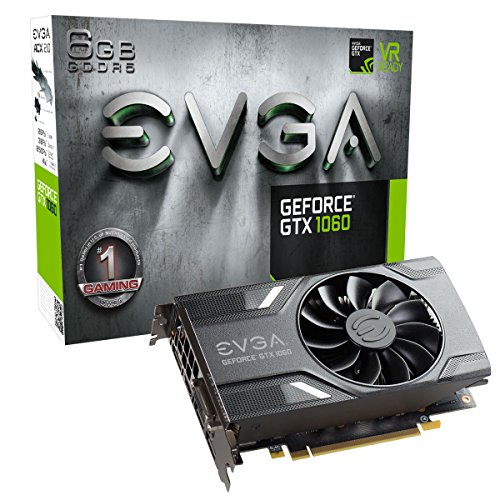 EVGA GeForce GTX 1060 GAMING (Single Fan)
MSRP $249.99
The Radeon RX 570’s ace in the hole is the 4GB of onboard RAM, which is the minimum needed for flawless 1080p gaming these days. The 3GB GeForce GTX 1060’s smaller memory capacity can already be exceeded in some games—that affects performance and causes stuttering unless you turn down graphics settings such as anti-aliasing. Nonetheless, the 3GB GTX 1060 is the only solid 1080p graphics card selling for $200 these days, and it’s still a good option if you’re working on a strict budget.
But if you have an extra $30 to $40 to spare over the Radeon RX 570’s pricing, we’d highly recommend picking up the 4GB Radeon RX 580 or the 6GB GTX 1060. Both deliver even better 1080p gameplay at 60fps with all the bells and whistles cranked to 11, damned fine 2560x1440-resolution play at High settings (especially with a FreeSync/G-Sync monitor), and even the ability to play VR games on the Oculus Rift and HTC Vive. That’s a tremendous amount of value for your money. Consider spending extra for the bigger memory capacities of the 6GB GTX 1060 or 8GB Radeon RX 580 if you’re planning to play at 1440p or in VR, though.
Best 1440p graphics card
 Nvidia GeForce GTX 1070 Founders Edition
$430.00MSRP $450.00
Meet the new people's champion. The Nvidia GeForce GTX 1070 delivers more performance than the $1000 Titan X for a fraction of the cost and a fraction of the power.
MENTIONED IN THIS ARTICLE
$399.99MSRP $399.99
AMD's Radeon RX Vega 56 manages to be slightly more powerful than the GeForce GTX 1070 while generating less heat. It's a great option for all gaming except 4K.
Editor’s note: We don’t recommend any of these cards at the moment, as they’re all selling for nearly twice suggested pricing in today’s wildly astronomical graphics card market. Consider a holdover budget graphics card instead, or read PCWorld’s guide on how to keep gaming in the coin mining era.
As we said in the previous section, the Radeon RX 580 and 6GB GTX 1060 are fine options for a decent 1440p/High gaming experience, but you won’t be able to crank graphics options to the max and still hit 60fps in many games. That’s where these cards come in.
There’s a massive price gulf between the 1080p gaming options and the $380 GeForce GTX 1070 or the $400 Radeon RX Vega 56, but the performance difference is just as immense. Those prices are somewhat theoretical though, as cryptocurrency mining has driven most GTX 1070 prices to $420 or more, though you can occasionally find $400 models.
The Radeon RX Vega 56 suffered from extremely limited stock and extremelyhigh prices for months after its launch. AMD’s card started appearing at suggested pricing the same day Nvidia’s $450 GeForce GTX 1070 Tilaunched, but it only lasted four days, after which Radeon Vega 56 prices leaped up by over $100 across the board, and they appear out of stock at Newegg again ahead of Black Friday. Wild times.
Brad Chacos/IDG
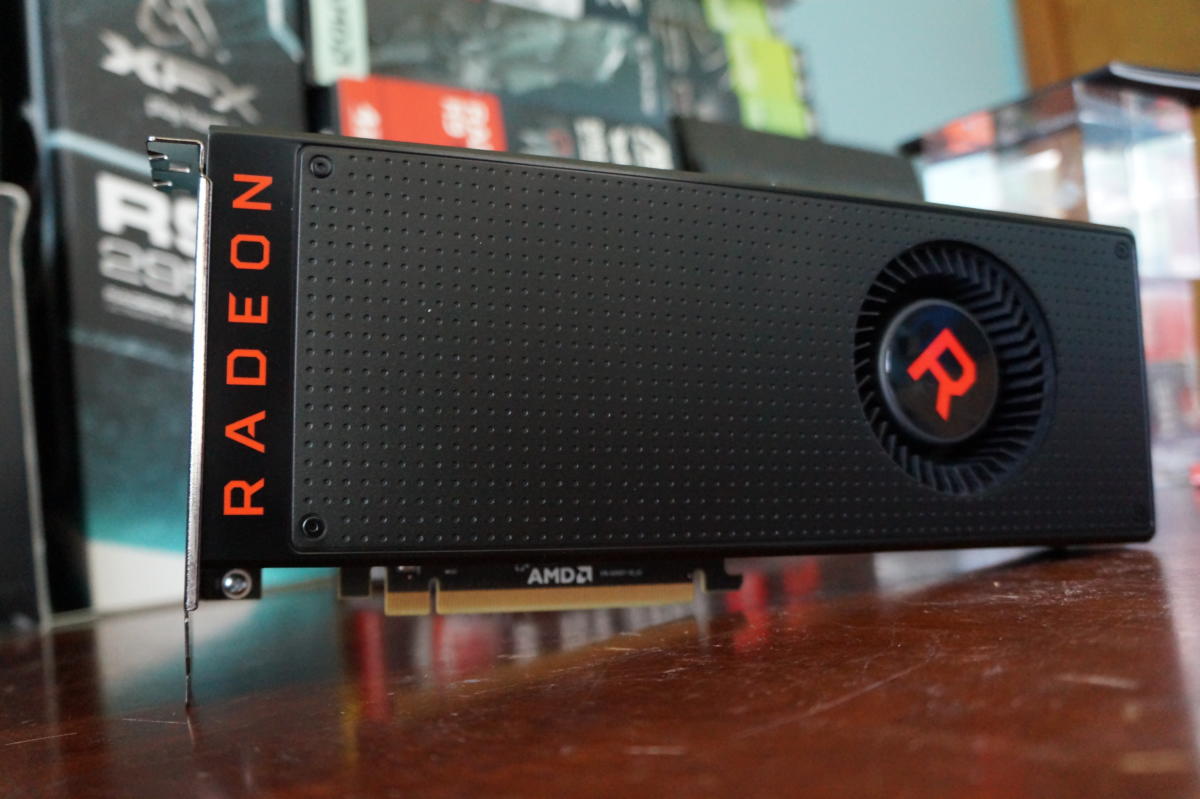
The Radeon RX Vega 56.That said, you get a tremendous amount of performance for your money. Both of these graphics cards can hit 60fps with everything cranked at Ultra settings at 1440p resolution. You’ll also be able to play many games at 4K resolution at High settings, if you don’t mind a lower 40fps-p
$423.99MSRP $499.99
If you’re interested in 4K gaming, an adaptive sync monitor can help smooth out the visual hitches—but 4K G-Sync displays cost a pretty penny. One of the Radeon RX Vega 56’s strengths is its access to affordable FreeSync monitors. On the flip side, the Radeon RX 56 demands considerably more power than the GTX 1070, and the blower-style fan on the reference model gets loud. Pick your poison; both of these cards perform like champs. In reality, the one you choose will likely be whichever one is available for purchase at a better price.
Don’t even think of buying the GTX 1070 or Vega 56 for 1080p resolution unless you’re looking to max out a 144Hz monitor in the latest, greatest games—though 144Hz enthusiasts with 1440p monitors may want to move up to the GTX 1070 Ti or GTX 1080 for even more performance.
Next page: High-end graphics cards, what to look for
-
#1113Reply in IT news
AMD released Radeon Software Adrenalin Edition 18.3.1 late on Monday with support for Final Fantasy XV Windows Edition and Warhammer: Vermintide 2. Providing day-one drivers for such hotly anticipated games proves yet again that Radeon has left its dark days of buggy, late software far in the rearview mirror, but newfound optimizations for e-sports games are even more intriguing.
Radeon Software Adrenalin Edition 18.3.1 marks the debut of Project ReSX (“Radeon eSports Experience”). “The goal of this project was to optimize the performance of some of the most popular PC games in the world on Radeon graphics cards,” AMD says. The company worked with developers for in-game optimizations, and tweaked its drivers to support the initiative.
The result? Faster, smoother gameplay, AMD claims.
-
#1114Reply in IT news
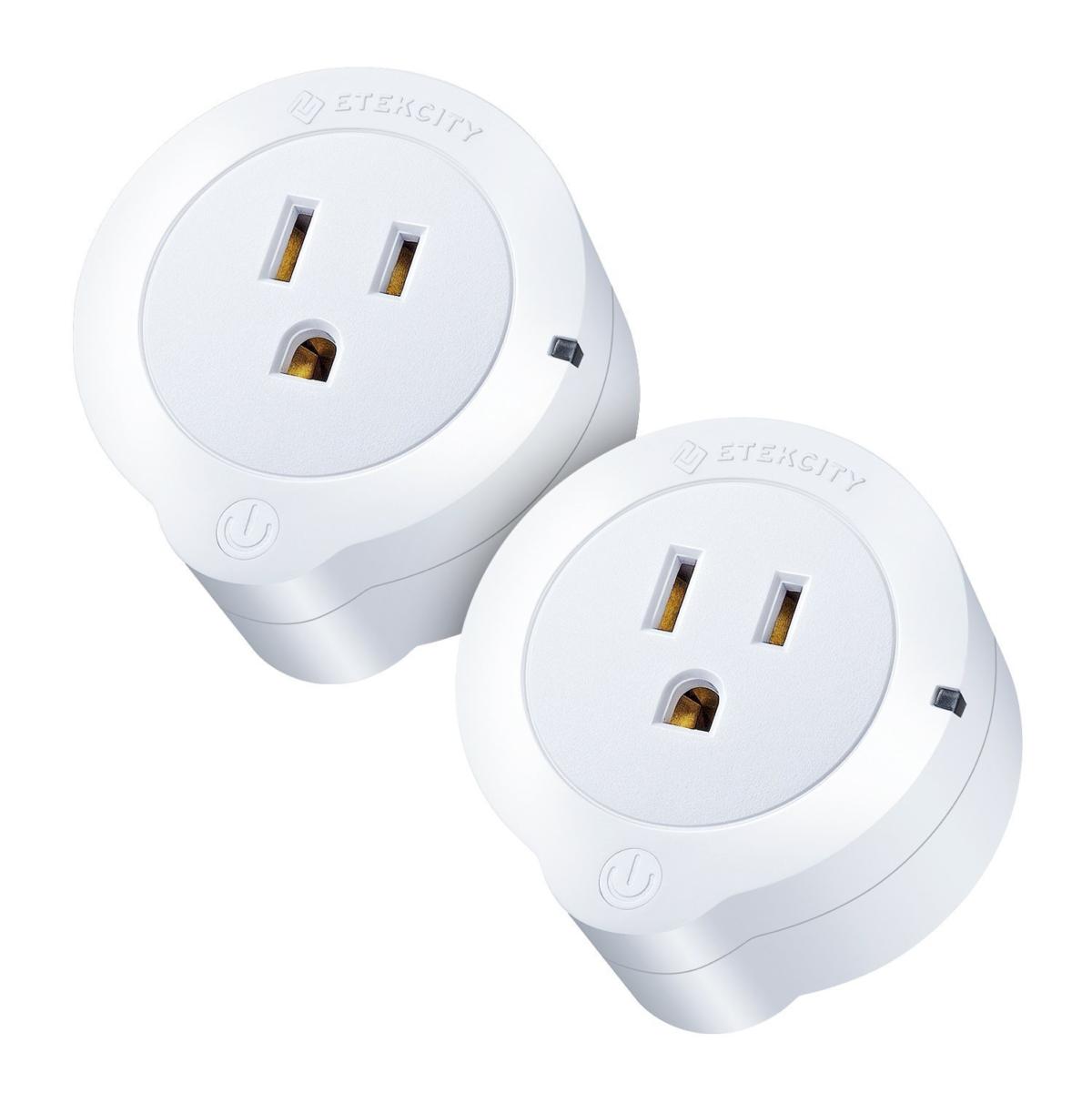
With this smart plug from Etekcity, you can turn your appliances on/off remotely from your mobile device, or with your voice via Alexa. Or automate the on/off cycle with a schedule. The plug also monitors and helps control energy usage, and the slow drain that occurs even when devices are powered down. Rated 4.5 out of 5 stars from over 2,200 people on Amazon, the 2-pack of smart plugs has been discounted to just $28.99, or $14.50 per plug. See this deal now on Amazon.
This story, "$29 For Two Etekcity Smart Plugs With Alexa Compatibility - Deal Alert" was originally published by TechConnect.
-
#1115Reply in IT news

NordVPN promises a private and fast path through the public internet, with no logs and unmetered access for 6 simultaneous devices. They are currently running a promotion, but you'll have to use this link to find it. Its typical price has been discounted to $99 for 3 years of service. That's a good deal at just $2.75 per month. See the $2.75/month NordVPN holiday deal here.
-
#1116Reply in IT news

Envisioning changes before they occur is often one of the most difficult and problematic aspects of designing a living space. That's why Live Home 3D Pro for Mac was created. This award-winning tool removes the guesswork behind floor planning and renovating by allowing you to create detailed plans of your living spaces digitally, and it's on sale for over 60% off.
Rated 4.5 out of 5 stars on the Mac App Store, Live Home 3D Pro for Mac lets you design advanced 2D floor plans using intuitive, point and click drafting tools. You can explore the 2D side view of a design using the elevation view to see walls, adjust doors and windows, or arrange furniture. Plus, you can even add custom light sources to your design, giving you complete control over light attenuation, glow, and direction. What's more, Live Home allows you to render your projects into ultra HD video files, handy if you're a contractor aiming to impress a client.
Live Home 3D Pro for Mac retails for $69.99, but it's available today for $24.99—more than 60% off the usual price.
-
#1117Reply in IT news
A recent report in the Wall Street Journal claimed that Apple Music was on pace to surpass Spotify in subscribers. That sounds amazing! But it’s not quite so simple. The calculation was made by looking at Apple Music’s current number of paying subscribers (about 36 million), comparing it to Spotify’s paid subscribers (about 70 million), and noting that with Apple Music’s current 5 percent growth rate it will overtake Spotify, which has a 2 percent growth rate, this summer.
There are a couple of important catches. First, it ignores Spotify’s free tier, which stands at over 140 million. Apple Music doesn't have a free tier. Second, it assumes that the growth rate of these two services doesn’t change. As Apple Music gets bigger, its growth rate is likely to taper off, but who knows when that will happen.
Apple Music's catalog is perhaps the strongest of any subscription service, but the app, particularly on iPhone (its lead platform), is full of issues that should be relatively easy for a company of Apple's size to address.
Our new gaming site is live! Gamestar covers games, gaming gadgets and gear. Subscribe to our newsletter and we’ll email our best stuff right to your inbox. Learn more here.
Here are a few of the things we think the company should do to improve Apple Music on iPhone.
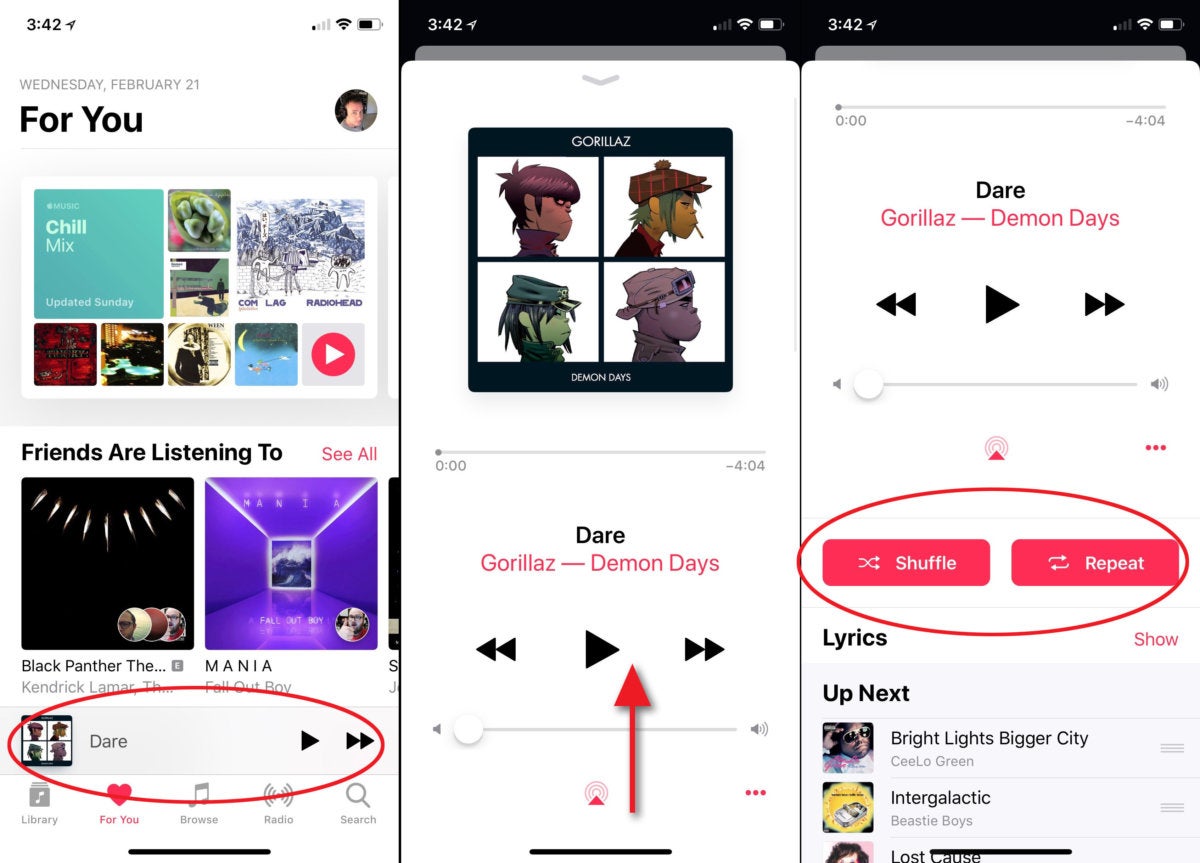
Improve the Now Playing cardWherever you are in the Apple Music app, the track you’re currently listening to is represented by a small banner just above the bottom row of tabs, along with a play/pause button and a next tack button. Tap it and a “card” slides up, obscuring most of the screen.
This card needs work.
To start with, in its collapsed state it doesn’t show enough info. There’s plenty of room for the artist name and track time remaining.
When expanded, it doesn’t use space well and hides useful controls below the bottom of the screen in a non-obvious area. With the AirPlay and overflow menu (the three dots) at the bottom, it doesn’t even look like you can scroll down. Below that page break, you’ll find the shuffle and repeat controls, along with the Up Next list. Oddly, “lyrics” isn’t a button, but a separate line with a “show” link on the right. The Lyrics control is duplicated in the overflow menu, too.
 IDG
IDG
Now Playing needs more info when collapsed, and the Shuffle and Repeat buttons shouldn't be hidden beneath the fold.Shuffle and repeat belong on the main Now Playing card, and so do the love/dislike buttons that are stuffed into the overflow menu.
What’s more, you should be able to move forward or back through the Now Playing list by swiping left and right on the album art.
Make better recommendations
It’s sort of a running gag on the internet that Apple Music’s recommendations are terrible. Sometimes it suggests similar artists that are not even remotely close to what you were listening to. Sometimes the custom radio stations and playlists that seem to ignore your music preferences.
Everyone agrees that recommendations get better after weeks of studiously rating songs with the Love and Dislike buttons, but it needs to be way better, way more quickly. Apple’s obsession with privacy and anonymizing data might make it harder to recommend great songs, but there’s just no excuse for a song recommendation system that causes me to skip half of the tracks it suggests.
Hit the web
People want their music to follow them everywhere, and that’s one of the best things about subscription services. But one does not always have access to iTunes or their mobile device. Let us log into Apple Music in a web browser and play our library music, listen to radio stations, and cobble together playlists.
A web presence would make it much easier to share playlists (more on that later) and would give everyone easy access to the free radio stuff: Beats 1, News, and Sports. Maybe that kind of easy exposure would help convince more listeners to sign up!
Drop Connect and streamline social sharing
The social aspects of Apple Music are a disjointed mess. The Connect service, where users follow artists and can see a stream of posts by them promoting new releases and the like, is a failed experiment. Nobody talks about it, it has taken an ever-shrinking presence in the app, and the signal-to-noise ratio is terrible. It’s time to shut it down.
 IDG
IDG
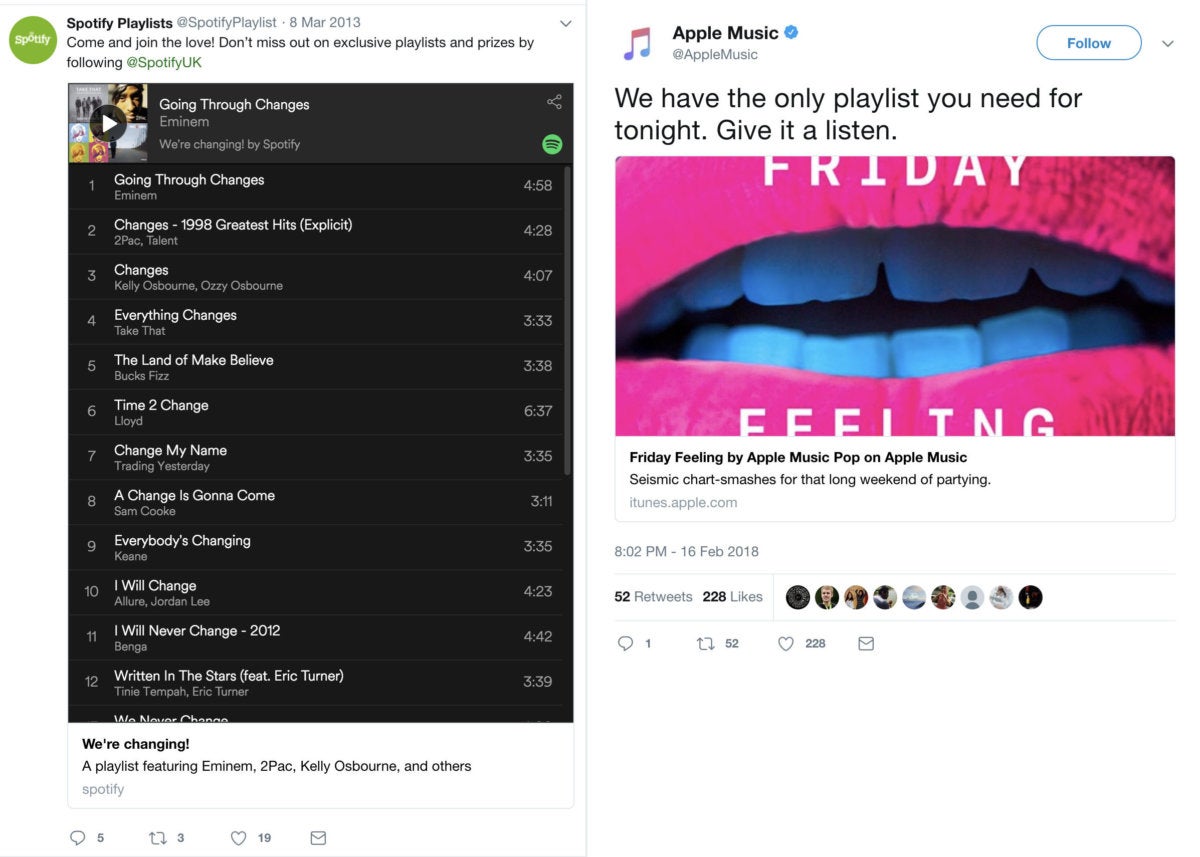
Sharing playlists on Twitter via Spotify (left) vs Apple Music (right). iTunes links just aren't a great solution.Apple wants to show me what all my friends are listening to, and while that sounds like a good music discovery concept on paper, in practice it’s not that useful. I might share very similar musical tastes with one or two friends, and like some of the same things a lot of my friends like. But lumping all the things all my friends are listening to into the same bucket just doesn’t work. It’s yet another way Apple wastes valuable, prominent screen space to suggest music I don’t like.
Apple should stop trying to turn Apple Music into its own social network and embrace the networks people already actually use. Let us share albums, artists, tracks, and playlists via Twitter and Facebook by embedding a web player, like Spotify does. Right now, sharing to these services produces a static iTunes link that takes you to a webpage with nothing but a nearly useless preview button.Allow collaborative playlists
Sharing playlists in general could be better (see the previous section), but at least public playlists show up in search.
Now if only Apple Music would let me invite friends to edit a playlist with me! It’s the perfect thing for stringing together that Friday night party playlist or “greatest hits” lists. That’s the kind of social interaction that drives the love of music, not major labels pushing marketing at you through Connect.
Create more personalized playlists
There are three personalized playlists on the For You section: Chill Mix, New Music Mix, and My Favorites. The first two combine Apple Music editorial picks and an algorithm that uses your personal music tastes to generate a unique playlist for you every week.
These are awesome! We just need more of them.
Spotify’s Discover Weekly is a huge hit in part because it surfaces forgotten favorites and “new to you” hits from years past. I’d love to see something similar on Apple’s service. By contrast, Apple’s New Music Mix playlist is closer to Spotify’s Release Radar. I love Spotify’s Summer Rewind and Time Capsule, too.
 IDG
IDG
I'm all for a good Chill Mix, but I want a lot more of these personalized, dynamic playlists.These dynamic, personalized, regularly updated playlists are a great way to discover music and to show off Apple’s blend of professional curators and algorithmic personalization. I’d love to see several more, including a workout playlist and a few daily playlists. You can already ask Siri to “play some workout music” and get personalized picks, so it seems Apple’s halfway there already.
How about a dark theme?
The entirety of iOS needs a proper dark mode, but until that happens, how about one just for Apple Music? The glaring white interface is a huge distraction in your car at night, and it’s eye-blindingly bright when you’re winding down at home for the night.
A proper Apple Music dark mode should have an on/off toggle and also allow you to set scheduled hours.
Crossfade would be nice
Crossfade is when the next song in the queue fades in just as the song you’re listening to fades out. It makes a small, smooth transition so there’s no silence.
 IDG
IDG
Gapless playback and crossfade options are common to music apps like Spotify and even iTunes, but absent on the Apple Music app.Some people like it, some don’t, but it’s terribly useful when playing music for a party or background music while you’re working. The gap between songs, and the sudden transition from one to the next, can be jarring in these situations. Give us a crossfade toggle to eliminate it if we want to. This is another feature of iTunes that needs to make the jump to mobile.
Let us Love and Dislike without opening the app
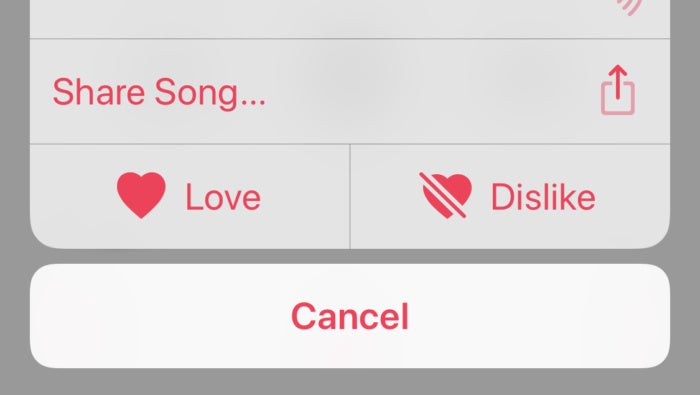
Using the Love and Dislike buttons are critical to improving Apple Music’s understanding of your taste in music. But in order to use them, you have to unlock your phone, open Apple Music, open the Now Playing card, hit the overflow menu, and then you can finally tap those buttons.
 IDG
IDG
The Love and Dislike buttons are far too imporant to be buried inside an overflow menu on the Now Paying card.Not only should they be front and center on the Now Playing card, they should appear on the lock screen and Control Center music controls.
Move search into Library and Browse tabs
One of the main navigation tabs at the bottom of the Apple Music interface is Search. Once you’re there, you can type in search phrases, but you have to toggle whether you’re searching Apple Music or your own library. It’s functional, but it’s sort of a waste of space and it’s not the most intuitive place for this function.
The app already has separate sections for your library and everything on the service (that section is somewhat confusingly labeled “Browse.”) Each one has a big chunk of white space up top—just put search bars there!
Not only is it more intuitive to search the section you’re already in rather than head to a global “search” pane and then choose a section, but it would free up the fifth navigation tab for something else. That would be a great place to put Activities and Moods, which are great but under-utilized features.
Make navigation more consistent
Every section in Apple Music is laid out differently, with different combinations of text links, album art of various sizes, and lists that scroll horizontally in some places and vertically in others.
The different sections can't really be identical, but they could be a lot more consistent than they are now. For example, in the Library section, you have text links to Playlists, Artists, Albums, and so on. To make it match the For You section, these could be horizontally scrolling truncated lists with album art and a “See All” link to show the whole list.
The Library section has an Edit button that lets you add or remove categories and reorder them. The For You section doesn’t. Why not?
It feels like every tab in the Apple Music app behaves differently, and we have to learn four different ways of navigating and locating what we want.
Lists (whether playlists, artists, or albums), should be sortable by name, artist, album, and track. And they should contain more info on the line, like track length.
Give us a timeline
The recently played list shows albums and playlists, which makes sense, but there should also be a way to view your play history in detail. Give us a timeline feature that shows every track we listened to for more than 20 or 30 seconds (so it doesn’t show songs we skipped), from any source: radio, playlists, albums, activities, you name it.
Let us create Smart Playlists
Smart Playlists are a great way to sort and filter a big music library. It’s just the thing for that all-you-can-eat Apple Music subscription. But you can only create them in iTunes on your computer. They sync over to your phone just fine, but we want to create them there.
 IDG
IDG
Smart Playlists are one of the best features of iTunes, and should really be a part of the mobile app.The power and flexibility of Smart Playlists is way beyond what other music services offer on mobile, and it’s just sitting there in iTunes, waiting to be ported over to the mobile app.
Provide a better equalizer
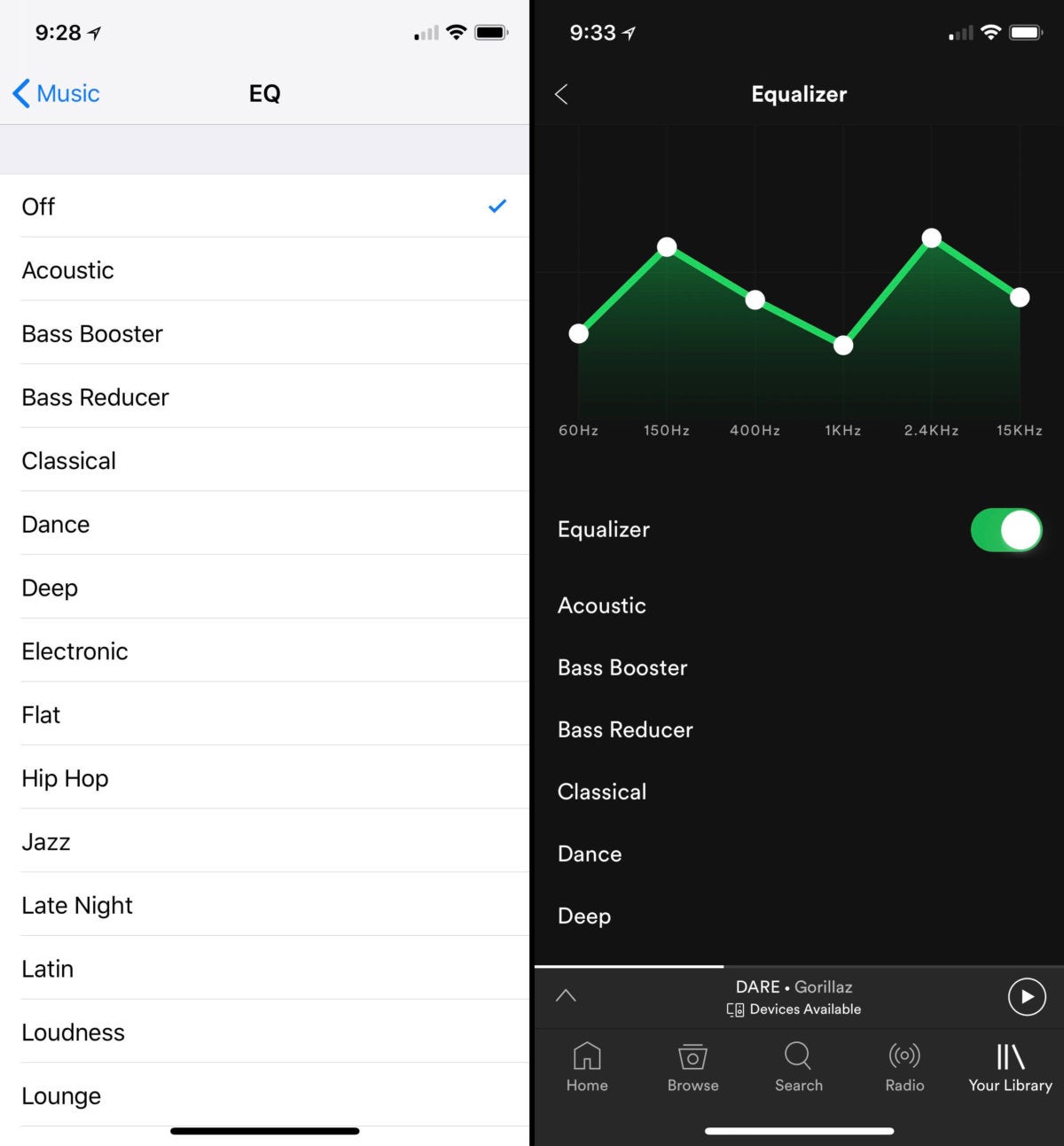
To get to the equalizer in the Music app, you’ve got to jump out to the global Settings app on your iPhone or iPad. When you get there, you’ll find a list of presets but no way to tweak the EQ yourself.
 IDG
IDG
Apple Music's EQ (left) is just a list of presets. Spotify's (right) gives you more control.Spotify does a better job at this. You can keep the list of presets, but give us a custom EQ as well, and put it in the app where it belongs. Or at least link from the Music app directly to the EQ part of the Settings app so it’s easier to find.
Apple could get really fancy and copy the audio profiling features found in a few Android phones. They play a series of tones at different frequencies and volumes in the left and right ears, and you tap a button when you hear the sound. It then creates a custom EQ for each ear that is tuned for your headphones and your ears.
Let us create a wish list
It’s easy to add a song from a radio station or playlist to my library. There’s a nice + button right there in the lower left. But Beats 1 sometimes plays music that isn’t on Apple Music yet. When it does, change that + button behavior to add the song to a wish list, where it will automatically be downloaded when released.
The Apple Music catalog could list upcoming albums and singles, with an “add to wish list” button. Artist pages could have a wish list button that automatically adds any new music they release the moment it drops.
We should be able to see our Wish List in the library section, with dates showing when the track was added or when it will be available (for unreleased tracks).
It’s time for a Beats 2 radio station
Beats 1 is great, but it’s not for everyone. Maybe it’s time to spin up another live radio station or two, each of which focuses on musical tastes that are not well-represented in Beats 1? I'd love to hear the Apple equivalent of a college radio station, maybe even with college radio hosts!
Let us Handoff to other Apple devices
Imagine it: You arrive home while listening to Apple Music on your iPhone (with headphones or even in your car). A popup on your phone lets you keep listening on your HomePod right where you left off.
Later, you’re settling in do some work on your Mac with your headphones on. A little icon in the dock lets you grab the music from HomePod and start paying it on your Mac, carrying on with the current song and upcoming queue.
In short, we need Handoff for Apple Music. With just a tap or two, we should be able to continue our listening session on any device logged into the same Apple ID and on the same network.
All of this should be easy to do with Siri, too. We could say, “Hey Siri, continue playing on my HomePod” or “Hey Siri, play this on my Mac.”
-
#1118Reply in IT news
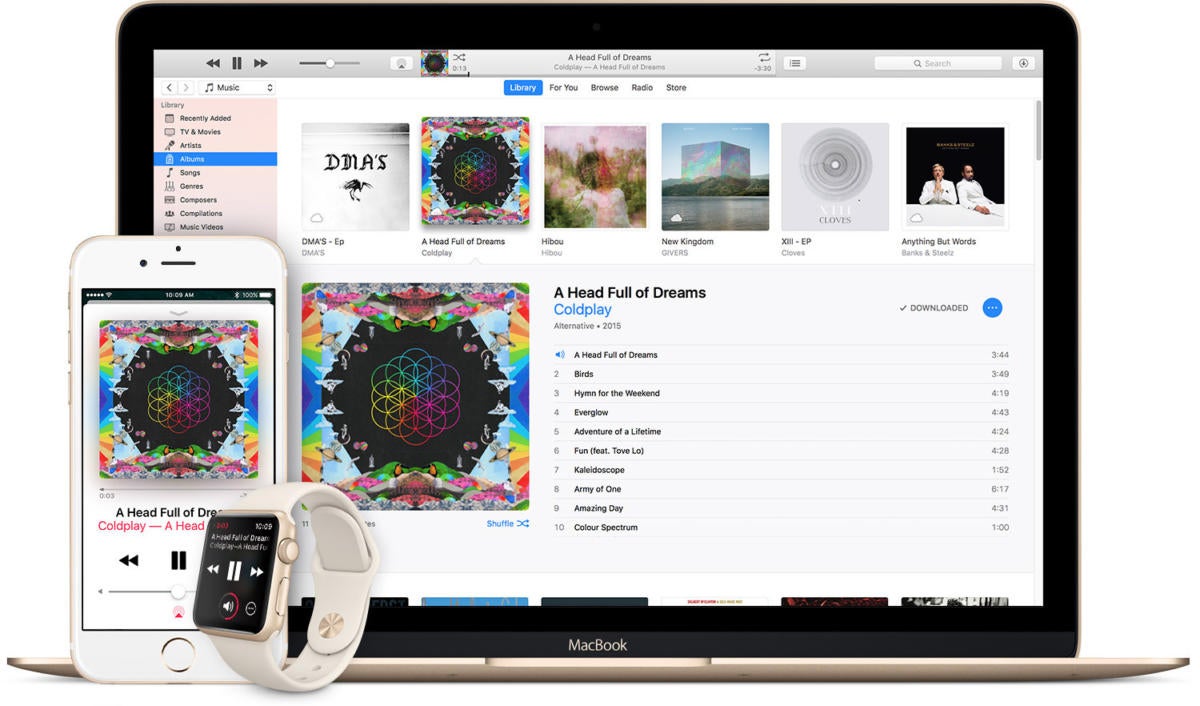
Remember iTunes LPs? Don’t worry, a lot of us had forgotten about them. Launched in 2009, the iTunes LP was a format that encouraged iTunes patrons to buy entire albums by adding in video documentary extras, bonus tracks, liner notes, and sometimes even fancy interactive elements. It was the iTunes download equivalent of the Enhanced CD, and meant to help sell complete albums in an age where users could simply buy the two songs they like off of it for $0.99 each.
It looks like this somewhat forgotten feature is fading away. According to a report from UK site Metro, Apple sent a letter to music producers which states that, “Apple will no longer accept new submissions of iTunes LPs after March 2018.” What’s more, the letter says that sales of currently-available iTunes LPs will be phased out over the course of the year. “Existing LPs will be deprecated from the store during the remainder of 2018. Customers who have previously purchased an album containing an iTunes LP will still be able to download the additional content using iTunes Match,” it says.
The impact on you: iTunes LPs don’t seem to be very popular. Wikipedia has a good list of all the iTunes LPs available, and there are plenty of big names there, but it’s a tiny fraction of all the releases from the last eight years. The music industry has moved away from purchases entirely, opting toward the “all you can eat” subscription model of Apple Music or Spotify.
Our new gaming site is live! Gamestar covers games, gaming gadgets and gear. Subscribe to our newsletter and we’ll email our best stuff right to your inbox. Learn more here.
Some sites, including the original report from Metro, have surmised that the letter telegraphs Apple’s move away from music purchases entirely, but that may be a bit of a leap. While it certainly makes some sense for Apple to put all its eggs in the Apple Music basket, there’s nothing in the letter to suggest that Apple will stop selling music, either by track or by album. Only this enhanced album format is on the chopping block. Streaming and subscriptions may be the future of digital music commerce, but sales aren’t dead just yet. -
#1119Reply in IT news
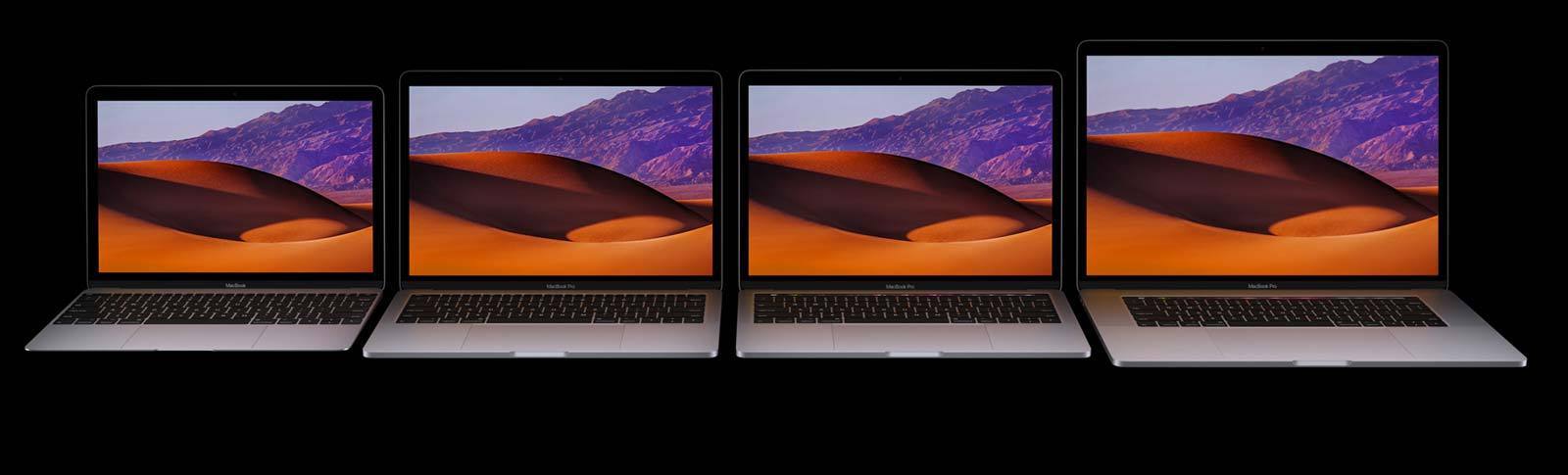
You're planning on buying a new Mac laptop. So you head over to your local Apple store, or you peruse the pages of Apple’s website, and you find yourself with money to spend but no idea on which MacBook to buy.
Don’t worry! That’s why we’re here. In this guide, we’ll go over Apple’s current MacBook lineup, point out their differences and similarities, and provide you with the information you need to pick the right MacBook for you. You can get more in-depth information in our reviews of the MacBook and the MacBook Pro.
Editor's note: Updated the buying advice in the MacBook Air section on March 6, 2018, with information about a report stating that the MacBook Air may see an update.
-
#1120Reply in Gaming
Nick: -
Nume Plugin: In titlu.
Descriere: -
Versiune: -
Link Download: https://www.curseforge.com/minecraft/bukkit-plugins/chairsreloaded